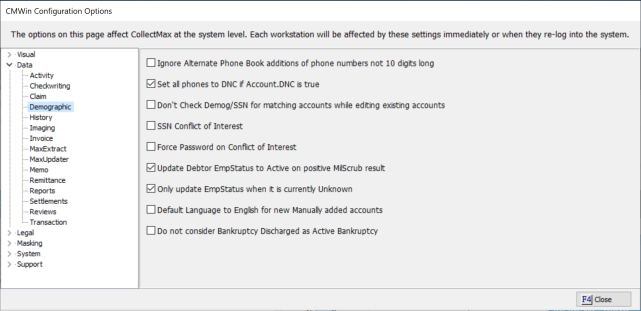
This feature allows you to set all phone numbers as Do Not Call if you set the account to Do Not Call. This is an optional feature.
This is a Version 11 Feature. For information about the purchase of Version 11, please contact Sales.
To set option, go to System, System Options and select Data/Demographics.
Check the option to Set All Phone to DNC if Account DNC is True.
This option will not take effect for users, until they exit and come back into CollectMax.
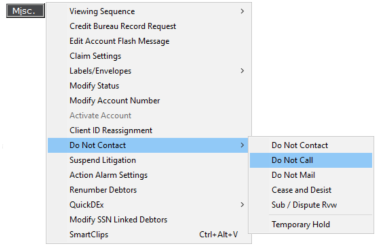
Once the user has set the Account Level Do Not Call from the Misc./Do Not Contact list,
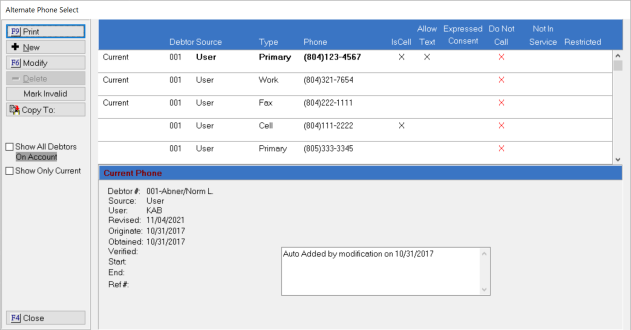
all phone numbers on the account will be set to Do Not Call automatically on the Alternate Phone Screen
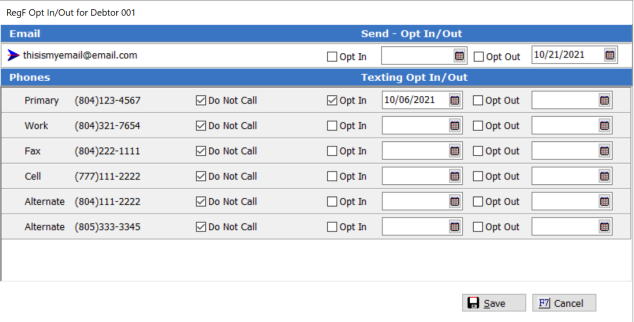
and on the Regulation F Opt In/Out Screen.
If you need to remove the Do Not Call Account level setting, the process will not unmark the phone numbers automatically. You will have to to go to the alternate phone screen or the Reg F screen to remove the Do Not Call designation. As a reminder the Do Not Call flash message which change to say Check Do Not Call so you can be alerted that the phone numbers may be set incorrectly.